Master the Veo 3 Prompt Formula for Realistic AI Videos
Written by
ThePrompts Team
Ever since I discovered the Veo 3 prompt formula, creating realistic AI videos has become almost second nature. We're talking about a tool that not only elevates video production but also brings a new level of detail and authenticity to AI-generated content. If you've ever struggled to make your AI videos look less robotic and more cinematic, you're in the right place.
AI video production has come a long way, but let's face it, not all AI-generated content lives up to the human eye's expectations. The Veo 3 prompt formula changes that game, providing content creators with the ability to craft videos that feel less like a simulation and more like a polished, human-made product. So, how do you unlock this magic? Buckle up, because we're diving deep into the art and science of using Veo 3 prompts.
In this guide
- Understanding Why Veo 3 Matters
- Crafting Your First Veo 3 Prompt
- Maximizing AI Video Realism: Techniques and Tips
- Common Mistakes to Avoid with Veo 3
- Wrapping Up My Thoughts
Understanding Why Veo 3 Matters
The Veo 3 prompt formula is not just another tool in the crowded field of AI video production; it’s a revelation for creators seeking authenticity. Why is this important? Because today’s audiences have a sharp eye for detail. They can tell when a video feels off, when the elements don't mesh well, or when the realism just isn’t there.
For instance, consider the challenge of creating a realistic forest scene. With Veo 3, you're not just inputting commands; you're crafting an experience. The tool allows you to specify every detail, from the rustle of leaves to the glint of sunlight breaking through the canopy. In my experience, the difference is palpable and transformative.
To get started, you need a basic understanding of Veo 3's interface and capabilities. Start by exploring their tutorial section, which is rich in resources and examples. This is the foundation upon which you'll build your AI video realism. For those who want to dive deeper, check out Mastering AI Story Video Templates, which offers insights into narrative-driven video creation.
Crafting Your First Veo 3 Prompt
So, how exactly do you create a prompt that works? It's all about detail and intent. The Veo 3 prompt formula allows for a depth of customization that is unparalleled, but it starts with understanding your scene’s core elements.
Define Your Scene
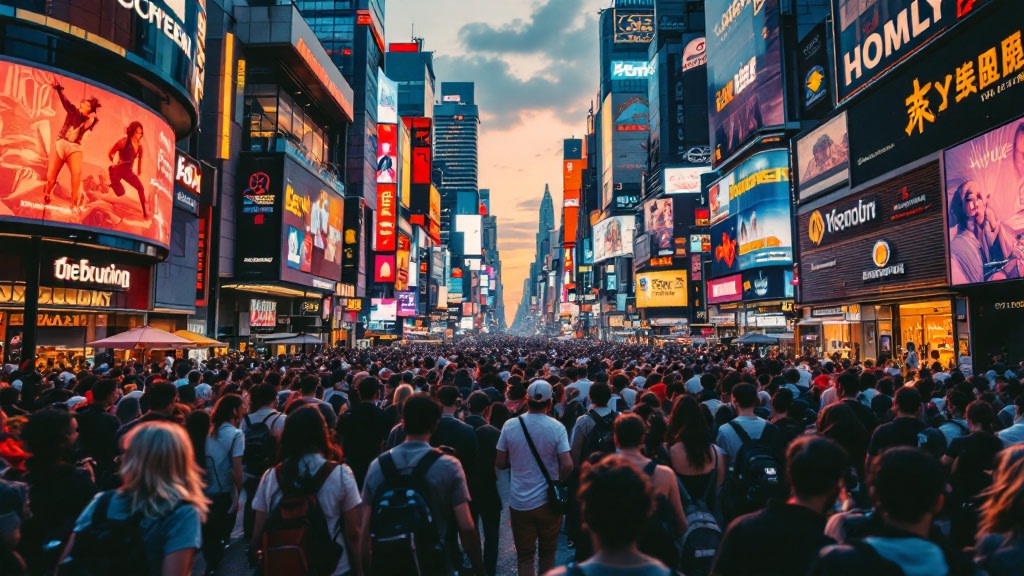
Begin by defining the scene you want to create. Are you after a bustling cityscape or a tranquil garden? Once you know your setting, list the elements that make it unique. For example, a cityscape might include dynamic lighting, diverse crowds, and ambient urban sounds.
Example: If you're crafting a serene park scene, your prompt might include elements like soft morning light, birds chirping, and children playing. These fine details enhance the realism and engage viewers on a sensory level.
Choose the Right Tools
Veo 3 isn’t the only option out there, so how does it compare to others?
| Tool | Best for | Pros |
|---|---|---|
| Veo 3 | Realistic video details | High customization, user-friendly |
| Midjourney | Artistic image prompts | Strong visual style, easy to use |
| Flux AI | Photorealistic images | Deep learning algorithms, fast |
Choosing the right tool often depends on the specific needs of your project. Veo 3 excels in scenarios where detail and realism are paramount. For further exploration, visit Best Veo 3 Prompts for Cinematic AI Videos.
Maximizing AI Video Realism: Techniques and Tips
Achieving realism in AI videos is not just about the prompts—it involves a combination of techniques that enhance visual and auditory elements. Let’s break down some key strategies.
Layering Sounds
Sound is as crucial as visuals when it comes to realism. In your video scenes, layering ambient sounds—like wind, distant traffic, or the chatter of people—can bridge the gap between digital and real-world experiences.
Using Lighting Effectively
Lighting changes everything. Whether it’s the warmth of golden hour or the stark contrast of midday, effective lighting can transform your scene’s atmosphere. The Veo 3 tutorial often emphasizes how different lighting scenarios can alter the mood and realism of your video.
For example, a beach scene can be dramatically enhanced with the soft glow of a setting sun, casting long shadows and a warm hue over the sand and surf.
Common Mistakes to Avoid with Veo 3
Even with an exceptional tool like Veo 3, it's easy to fall into traps that can undermine your work. Here are some pitfalls to steer clear of.
Overcomplicating the Scene
One common mistake is trying to include too much detail. While detail is important, too many elements can overwhelm the viewer and muddle the scene. Keep your focus sharp.
Ignoring Scene Cohesion
Ensure that all elements work harmoniously. The best scenes are those where every component—from sound to visuals—feels purposefully integrated.
Mistakes are learning opportunities. If you’re falling short, don’t hesitate to revisit Effortless Faceless YouTube Automation Strategies for insights into cohesive content creation.

Frequently Asked Questions
What is the Veo 3 prompt formula?
The Veo 3 prompt formula is a structured approach to crafting AI-generated videos with specified details for enhanced realism, tailored to individual scene requirements.
How does Veo 3 enhance AI video realism?
Veo 3 enhances realism by allowing creators to specify minute details in sound, lighting, and visual elements, making the digital outputs closer to real-life experiences.
Is there a steep learning curve with Veo 3?
While Veo 3 offers extensive customization, the platform is designed to be user-friendly, supported by comprehensive tutorials to ease the learning curve.
Can I use Veo 3 for all types of video content?
Yes, Veo 3 is versatile enough for various video types—be it cinematic, educational, or promotional content, making it a valuable tool for diverse projects.
Are there free prompts available for Veo 3?
While Veo 3 itself may not offer free prompts, you can find free resources and tips at ThePrompts.in, which offers a variety of prompts to get started.
Wrapping Up My Thoughts
In the end, the Veo 3 prompt formula puts the power of realistic AI videos in your hands. It’s a tool that respects the creator's vision, offering a canvas where imagination meets technology. From my perspective, it’s a game-changer in the realm of AI video realism.
So what’s next for you? Dive into this creative tool, and let your videos speak in ways words cannot. Start experimenting with Rainy Road Cinematic or explore more options on ThePrompts.in and our blog. The realm of cinematic AI is waiting for you.
Visual Showcase


Want more AI magic?
Join our newsletter to receive the latest AI prompts, tool updates, and industry secrets directly in your inbox.